Overview#
Interweaver’s gameplay was unique in that the player’s main character swapped between two different characters with unique mechanics per level: the Weaver, our main character, and a Familar that was unique to each Level. The Weaver has two core player mechanics that were the root of all gameplay and drove the majority of interactions, a Weave ability and a Possession ability.
As part of my role as an Engineer, I was responsible for developing the entire Weave ability and its components. This involved a game system that allowed the Player to manipulate objects in the game world by translating, rotating, and linking other objects together to solve physics-based puzzles and platforming challenges. I also was responsible for a variety of features relating to both the Weaver and the Familiars, which will also be discussed below.
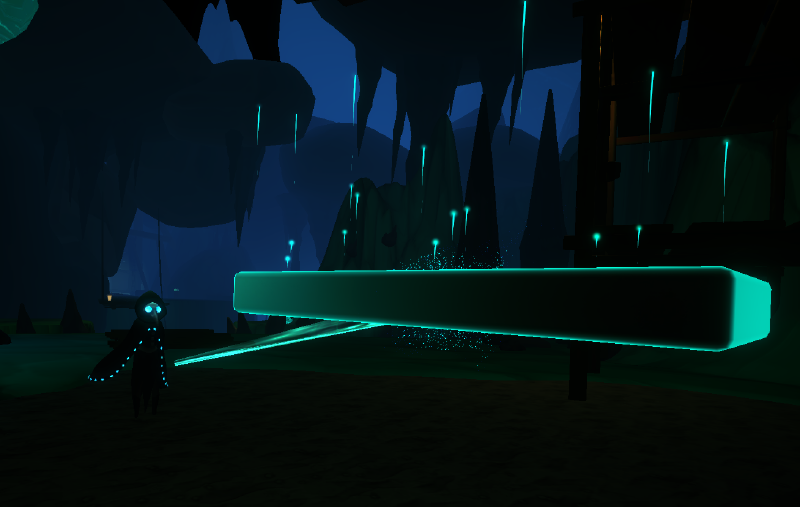
Weave Ability#
The Weaver’s Weave ability is a physics-based interaction mechanic that allows players to manipulate objects in game space using the mouse. Weaving has two main functions: moving objects around the space and combining multiple to solve puzzles or progress through platforming sections. Players were also allowed to rotate objects as needed when Weaving.
System Architecture#
Weaving was managed through a Weaveable Manager, a custom GameObject for all Weaveable objects, and a Weave Controller script on the Weaver, separating logic to keep the system modular, easy to iterate on, and debug. The Weave Controller handles player input, targeting, and moment-to-moment gameplay experiences, while the Weaveable Manager owned all shared state, grouping, and combination logic. Individual Weaveable objects remained largely self-contained, exposing clear hooks for selection, combination, and reset, which allowed complex interactions (like Combining and Uncombining objects) to be coordinated centrally without tightly coupling gameplay logic to player input or VFX timing.
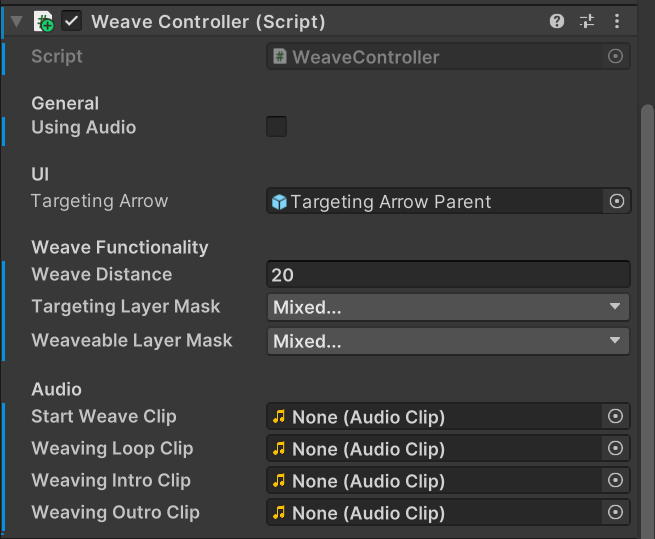
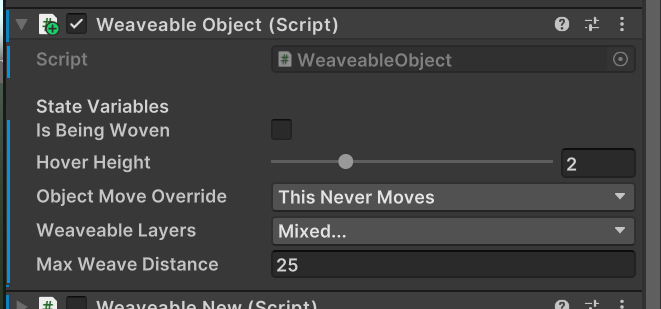
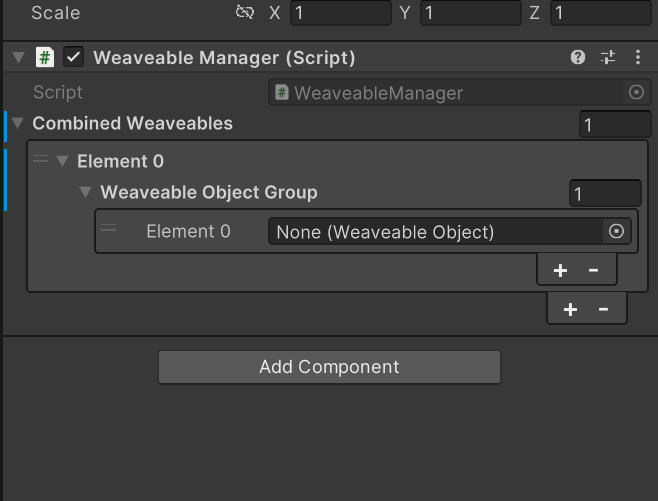
I want to call out a few aspects of this system that presented notable technical and design challenges, and discuss how they were resolved.
Input-To-World Space Mapping
The core challenge wasn’t just mapping the mouse to world space - it was ensuring that every interaction made sense in both the player’s and the Weaver’s perspectives in an isometric environment, and was consistent across input devices. This required translating fundamentally different input modalities (screen-space mouse input and directional controller input) into a shared, deterministic world-space interaction model that behaved consistently regardless of device. This was made further complex because Interweaver supports seamless transitions between controller and keyboard inputs, which had different contextual behaviors.
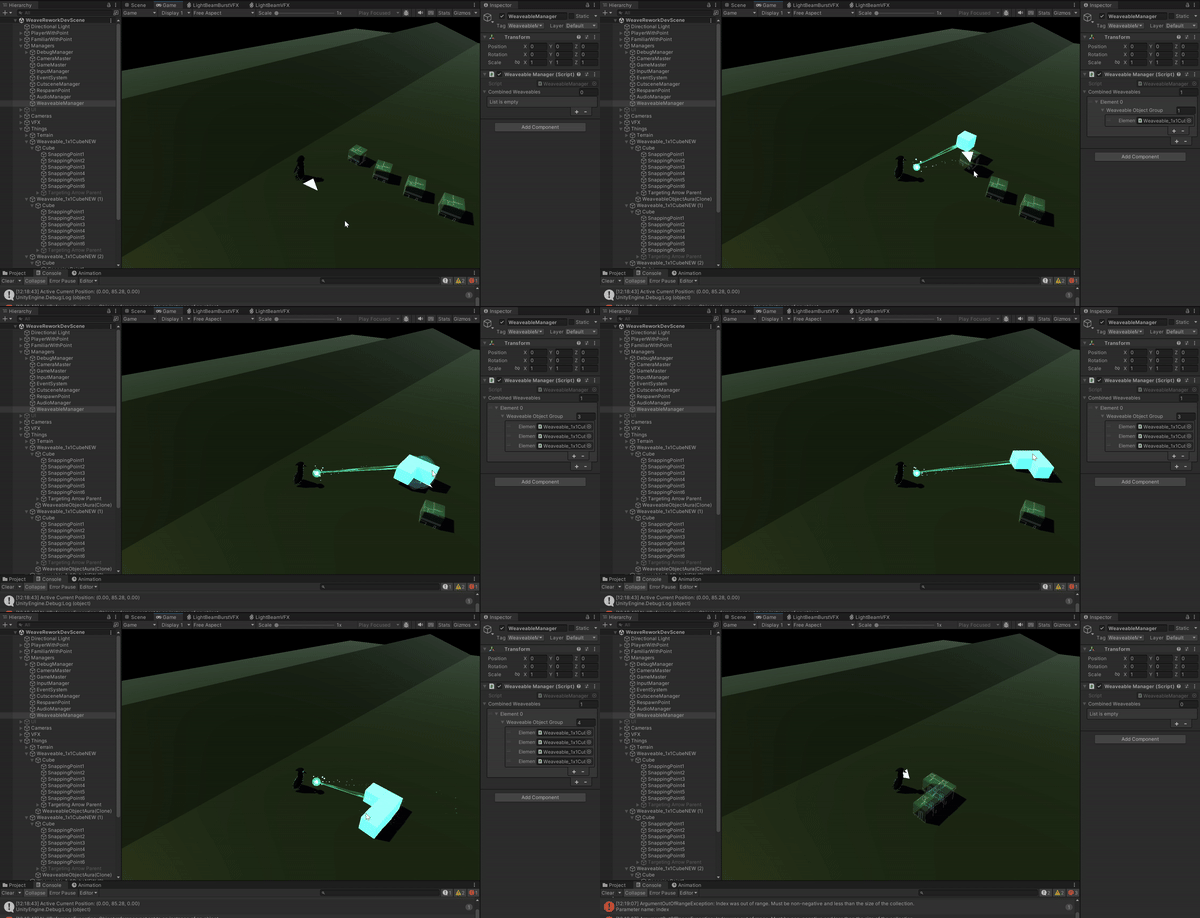
Rather than duplicating interaction logic per input type, I designed the system so both mouse and controller inputs ultimately resolved into the same physics-driven movement and constraint pipeline. This allowed players to connect or disconnect controllers seamlessly without interrupting any active mechanics and the gameplay experience remained uninterrupted. The controller’s logic is unique because, unlike the mouse which provides a precise world-space point, the analog joystick input is converted into a camera-relative forward vector.
WeaveWithMouse()
{
  ...
  Ray ray = mainCamera.ScreenPointToRay(Input.mousePosition);

  // If the mouse position is over Weavable terrain or objects..
  if (Physics.Raycast(ray, out hitInfo, 1000f, weaveableLayers))
  {
    // Enable and set targeting arrow
    ...

    if (Physics.Raycast(ray, out hitData, 100f, weaveableLayers))
      worldPosition = hitData.point;

    ...
    // If the object is within distance bounds to the player, move the object to mouse position
    rb.velocity = new Vector3(hitData.point.x - rb.position.x,
                              transform.position.y - rb.position.y,
                              hitData.point.z - rb.position.z);

    ...
    Vector3 adjustedVector = new Vector3(worldPosition.x, transform.position.y, worldPosition.z);
    // Update all UI to adjustedVector
    ...
  }
}
WeaveWithController(Vector2 lookDir)
{
...
// Boxcast starts from initial look direction of Main Character
float targetAngle = Mathf.Atan2(lookDir.x, lookDir.y) * Mathf.Rad2Deg + mainCamera.transform.eulerAngles.y;
...
// If lookDir > 0.01f, set directional target
targetingArrow.transform.rotation = Quaternion.Euler(0f, targetAngle, 0f);
...
// If the object is not far enough away from the player to auto-disconnect
rb.velocity = rayDirection * 9f;
...
}This system accounted for changes in elevation, visually communicated where to anticipate their objects in world space, and handled object rotation relative to the character in an isometric camera view while still feeling intuitive from the player’s perspective. It was imperative that object motion, collision responses, and snapping behavior remained consistent and intuitive regardless of how the player interacted, reinforcing muscle memory and reducing cognitive load as they played.
Combining Weaveables and Snapping Points
Another technical challenge was presented when allowing players to dynamically combine multiple Weaveable objects into freely maniupulable clusters. These combined objects needed to resolve clean geometric connections so edges aligned without creating collision issues, provide clear visual feedback, and be predictable when moved or rotated to be used reliably to support player-driven puzzle and platforming solutions.
To solve this, I created snapping points, which were points in space that could be manually or procedurally applied to Weaveable objects and acted as semantic connection anchors. This abstraction allowed objects of arbitrary shape to be connected organically and in player-driven ways, while also being designer-friendly and extensible as puzzles were added and iterated upon.
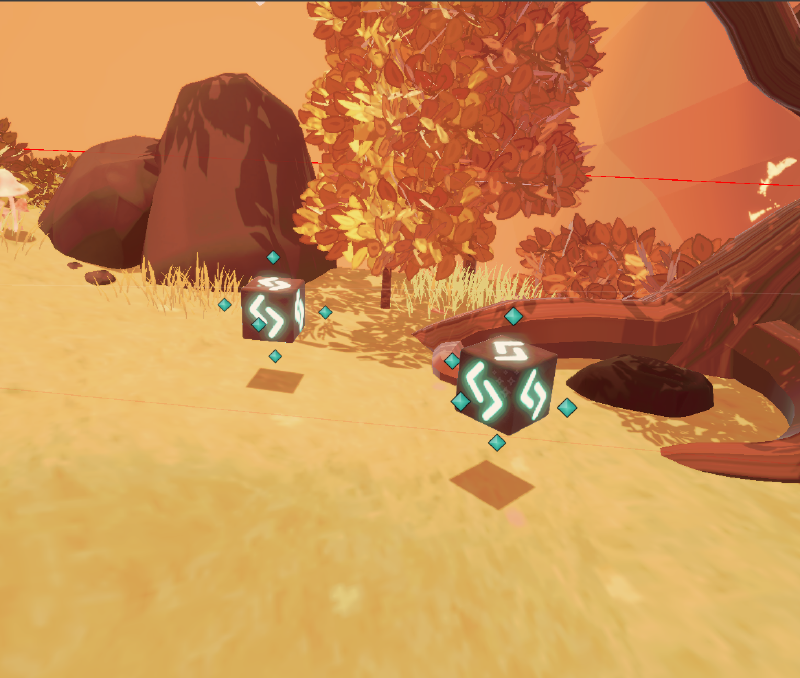
The system resolved the most geometrically-appropriate pairing at runtime using nearest-neighbor resolution rather than snapping immediately. This ensured that connections felt intentional and predictable to the player, even when assembling unconventional shapes. Once the closest points were identified, a Coroutine smoothly animated the objects into place before finalizing the logical connection in a deterministic and visually coherent way.
Combining Weaveables utilized nearest-neighbor resolution and were resolved and applied at runtime to ensure the mechanic felt smooth and enjoyable to play. This system worked by finding the closest authored or generated snapping point on both objects and snapping to the most geometrically appropriate connection rather than relying on mesh bounds, ensuring the object’s rotation and movement remained visually coherent within the game space.
CombineObjects()
{
  // If objects have snap points...
  ...

  // Determines the best snap point in all currently Woven objects
  FindSnapPoints();

  // Determined which movement path will be taken
  switch (objectMovementOverride)
  {
    case ObjectMoveOverrides.MoveToTarget:
      StartCoroutine(MoveToPoint(this, targetObject));
      StartCoroutine(BackupForceSnap(this));
      break;
    case ObjectMoveOverrides.MoveToOrigin:
      StartCoroutine(MoveToPoint(targetObject, this));
      StartCoroutine(BackupForceSnap(this));
      break;
    ...
  }
}
IEnumerator MoveToPoint(WeaveableObject movingObject, WeaveableObject staticObject)
{
...
Vector3 targetRotation = staticObject.transform.rotation.eulerAngles;
float timeSinceStarted = 0f;
while (true)
{
timeSinceStarted += Time.deltaTime;
movingObject.transform.position = Vector3.Lerp(movingObject.transform.position, targetTransform.position, timeSinceStarted);
if (Vector3.Distance(movingObject.transform.position, targetTransform.position) < 1f)
{
movingObject.rb.transform.position = targetTransform.position;
if (!TryGetComponent<FixedJoint>(out FixedJoint fJ))
{
// Systematically combines the objects and calls any additional visualizations or logic
WeaveTogether(otherWeaveable.gameObject);
}
yield break;
}
yield return null;
}
}To maintain consistent and predictable behavior, objects were forcibly aligned if they were not yet combined by the maxTimeToSnap. This logic also had to account for which determining the optimal snap target among several connected Weaveables so that the player felt their actions resulted in predictable and satisfying outcomes. Once objects have completed their movement or are required to snap, a FixedJoint between the moving object and its snap target gets added at runtime, the cluster updates in the WeaveableManager, and any relevant FX and animations are triggered.
By decoupling game logic, visual feedback, and runtime physics, Weaving became easier to debug and iterate on, extend as we added complexity, and satisfying for the player to use in-game. This mechanic ultimately served to help the player create unique solutions to the game’s challenges and approach gameplay in their own way.